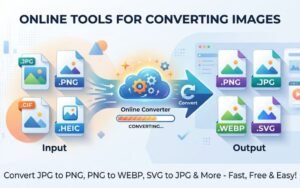


In an era where digital content reigns supreme, optimizing images for the web is paramount. One of the most effective ways to achieve this is by converting PNG to WebP. The WebP format, developed by Google, offers superior compression capabilities and image quality, making it an ideal choice for website owners and content creators. This article delves into the advantages of converting PNG images to WebP, the conversion process, and best practices for optimizing your images.
PNG: What is it?
PNG (Portable Network Graphics) is a raster graphics file format that supports lossless data compression. It is widely used for images, charts, and graphics that require transparency. PNG files maintain high quality, making them a popular choice for web designers and developers who need clear, crisp visuals.
Benefits of PNG High Image Quality
Regardless of how frequently they are modified or saved, PNG images maintain their original quality. Transparency Support: PNG allows for varying levels of transparency, making it excellent for overlay graphics and web elements. Color Depth: This format supports 24-bit color, which results in a broader spectrum of colors. Despite these benefits, PNG images can be quite huge, which could have an impact on the speed and functionality of websites.
WebP: What is it?
WebP is an image format that provides superior lossy and lossless compression for images on the web. It was developed to create smaller, high-quality images that load faster, providing a better user experience.
Benefits of Using WebP
Smaller File Sizes: WebP images typically reduce file size by 25% to 34% compared to PNG files, without significant loss in quality.
enables Transparency: The WebP format enables translucent backgrounds, just as PNG.
Animations: Unlike PNG, which only supports static images, WebP can handle animated images efficiently.
Better Performance: Faster loading times due to smaller file sizes lead to improved website performance, enhanced SEO rankings, and better user engagement.
Why Convert PNG to WebP?
-
Improved Loading Speed
The primary advantage of converting PNG to WebP is enhanced loading speed. Websites with faster load times lead to lower bounce rates and higher user satisfaction. With millions of users accessing content on mobile devices, optimizing images for quick loading is crucial.
-
Better SEO Rankings
Search engines prioritize site speed when ranking web pages. A site that uses WebP images may perform better in search rankings compared to one that relies solely on PNG images. By converting images, you not only optimize the user experience but also enhance your site’s SEO performance. Smaller file sizes contribute to decreased bandwidth consumption, which is particularly beneficial for websites that experience high traffic. This can lead to cost savings and improved performance for users with slower internet connections.
3. Consistency Across Devices
Converting PNG to WebP ensures consistency of image quality across different devices and screen resolutions. The WebP format is designed with responsive design in mind, ensuring images look great on all screen sizes.
How to Convert PNG to WebP
To convert PNG images to WebP effectively, follow these simple steps:
Step 1: Choose a Conversion Tool
Select a reliable online tool for conversion, such as Creatoolz.
Step 2: Upload Your PNG Images
Navigate to the PNG to WebP conversion section of the tool and upload your images. Many platforms allow bulk uploads, simplifying the process if you have multiple files.
Step 3: Configure Settings
Depending on the tool, you may have options to adjust settings like quality and file size. Choose the settings that best suit your needs to ensure optimal results.
Initiate the conversion process. This usually takes only a few seconds. The tool will process your images and prepare them for download. Once the conversion is complete, download your newly created WebP images. Make sure to check the quality to ensure they meet your expectations.
Best Practices for PNG to WebP Conversion
To maximize the advantages of converting PNG to WebP, keep these best practices in mind:
-
Optimize Before Conversion
Before converting PNG to WebP, make sure your image is fully optimized. Remove unnecessary metadata, resize images to the exact dimensions needed, and clean up transparent areas. This ensures smaller file sizes and better quality after conversion, improving overall website performance.
-
Test Multiple Compression Levels
Experiment with different compression settings during conversion to find the best balance of quality and file size. Some tools allow you to preview the output, helping you make informed decisions.
-
Check Browser Compatibility
While WebP is widely supported, not all browsers support this format. Consider providing fallback options for users on older browsers to ensure they still see your images.
-
Utilize Responsive Design Techniques
Incorporate responsive design principles when using WebP images. This not only improves loading times but also ensures a better user experience across various devices.
Conclusion
The WebP format offers significant benefits, including smaller file sizes and improved loading times, which can positively impact your SEO and user engagement. Using tools like Creatoolz simplifies the conversion process, allowing you to focus on creating quality content while enhancing your website’s performance. As you navigate the world of digital content, remember that optimizing your images is an ongoing process that can yield valuable benefits. Stay tuned for when Creatoolz is back online to continue exploring the powerful tools that can elevate your digital presence. I appreciate your patience.
Frequently Asked Questions (FAQ)
What is WebP and why should I convert PNG to WebP?
WebP is a modern image format that offers smaller file sizes than PNG while maintaining high quality and transparency.
Does converting PNG to WebP affect image quality?
When done correctly, WebP reduces file size with minimal or no visible quality loss.
Is WebP supported by all browsers?
Most modern browsers support WebP, but you may need fallback images for older browsers.
Can WebP handle transparency like PNG?
Yes, WebP supports transparency (alpha channel), making it a strong replacement for PNG.
How does PNG to WebP conversion improve SEO?
Smaller image sizes improve page speed, which helps user experience and can boost search engine rankings.