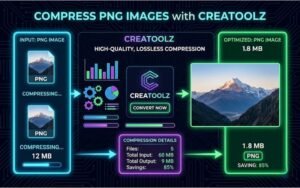

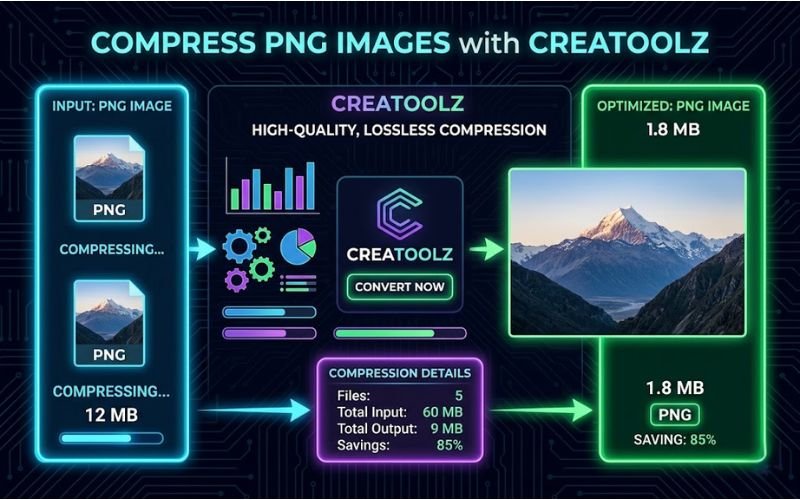
In the fast-paced digital world, optimizing images is crucial for ensuring smooth online performance. For web developers, bloggers, and designers alike, compressed images can significantly enhance loading times without sacrificing quality. Creatoolz offers an exceptional solution for compressing PNG images quickly and effectively. This article will explore the importance of image compression, the advantages of using Creatoolz, and a step-by-step guide to help you compress your PNG images efficiently.
Why PNG Format?
Understanding PNG
PNG, or Portable Network Graphics, is a widely used image format that supports lossless compression, meaning it retains all image data without loss of quality. It is particularly favored for images containing text, graphics, and images requiring transparency. Despite its superior quality, PNG files are typically larger than JPG files, which can lead to slower load times when used on websites.
Advantages of Using PNG
- Lossless Compression: Unlike JPG, PNG maintains the quality of images, making it ideal for graphics, logos, and images with sharp lines or text.
- Transparency Support: PNG permits varying degrees of transparency, allowing for versatile use in web design and graphic projects.
- Higher Detail: PNG images are preferred for images that require clear detail and color accuracy, such as infographics and illustrations.
Importance of Compressing PNGs
While PNG files offer quality advantages, their larger file sizes can hinder performance, especially on websites. Here are several reasons why compressing PNG images is essential:
1. Improved Load Times
Large files can significantly slow down website loading speeds, which negatively impacts user experience. Studies show that slow-loading sites lead to higher bounce rates. Compressing PNG images can improve load speeds, ensuring that users have a smoother browsing experience.
2. Enhanced Performance for SEO
Search engines like Google prioritize fast-loading pages. By compressing images, you can improve your website’s overall performance, which can positively influence your search engine rankings. This is particularly important as optimized images contribute to better SEO scores.
3. Reduced Bandwidth Usage
Larger images consume more bandwidth, increasing hosting costs. By compressing PNG files, you can lower your bandwidth usage, which can be especially beneficial for websites with high traffic.
4. Better User Engagement
Images are often the focal point of any webpage. Faster load times resulting from compressed images can lead to improved user engagement, as visitors are more likely to stay on and interact with a well-optimized site.
How to Compress PNG with Creatoolz
Features of Creatoolz for PNG Compression
Creatoolz offers a user-friendly platform for compressing PNG images while ensuring high quality. Here’s what makes it a great choice:
- Ease of Use: The interface is intuitive, allowing anyone to compress images quickly, regardless of their technical skills.
- Free Service: Creatoolz offers free image compression tools, making it accessible for users of all backgrounds.
- No Registration Required: You can start compressing images immediately without the hassle of signing up.
Step-by-Step Guide to Compress PNG Images
Here’s how you can compress your PNG files using Creatoolz in just a few simple steps:
Step 1: Visit the Creatoolz Website
Begin by navigating to the Creatoolz PNG Compression Tool.
Step 2: Upload Your PNG Files
On the homepage, you will find a designated area for uploading files. You can do this by either:
- Dragging and dropping your PNG images into the box.
- Clicking the “Choose Files” button to browse for the images you wish to compress.
Step 3: Start the Compression
Once your images are uploaded, select the desired compression level (e.g., 60%). Higher compression can reduce file size more significantly but may impact quality. Click the “Compress PNG” button to start the process.
Step 4: Download Your Compressed Images
After the compression is complete, you will see a link to download your newly optimized PNG images. Simply click on the link to save the files to your device.
Benefits of Using Creatoolz for PNG Compression
1. Quick Processing Speed
Creatoolz is designed to handle image compression quickly, so you won’t have to wait long. This speed is crucial, especially for users who need to optimize multiple images in a short amount of time.
2. High-Quality Output
The compression methods used by Creatoolz ensure that your PNG images retain their quality while being reduced in size. You won’t sacrifice detail for performance with Creatoolz.
3. Security and Privacy
Your images are only processed for compression and are not stored on the server afterward. This commitment to user privacy ensures that your files remain confidential and secure.
4. Versatile File Handling
Despite focusing on PNG compression, Creatoolz offers a suite of tools for image conversion (like JPG to PNG and vice versa). This makes it a versatile platform for all your image management needs.
Use Cases for PNG Compression
1. Website Development
Web developers and designers can significantly benefit from compressed PNG images that load faster, consequently improving overall website performance and user satisfaction.
2. E-commerce
Online retail businesses can use optimally compressed images to speed up page load times, which is vital for customer retention and conversion rates.
3. Graphic Design
Graphic designers often deal with high-resolution files. Compressed PNGs can ease the process while ensuring that the quality of their work remains intact.
4. Social Media Management
Social media managers can optimize images for posts and ads to ensure that loading times are quick, which can enhance engagement rates and user interaction.
5. Blogging
Bloggers can improve their site speed and reader experience by compressing PNG images before uploading. This ensures that readers can access content smoothly without long loading times.
Conclusion
In an era where digital performance is key, optimizing your images is crucial for ensuring a positive user experience and improving SEO rankings. Creatoolz provides an efficient, user-friendly platform for compressing PNG images. By utilizing this tool, you can ensure that your images remain high-quality while being perfectly optimized for the web.
Ready to improve your image management? Visit the Creatoolz PNG Compression Tool today and experience hassle-free compression that enhances your digital content!
Frequently Asked Questions (FAQs)
What is a PNG image compressor?
A PNG compressor reduces the file size of PNG images while keeping the quality as high as possible.
Why should I compress PNG images?
Compressed images load faster on websites, improve SEO, and save storage space.
Does Creatoolz reduce image quality during compression?
Creatoolz optimizes file size while maintaining good visual quality, so your images still look clear.
Is the PNG compression tool free to use?
Yes, you can compress PNG images with Creatoolz for free without any hidden charges.
Do I need to download software to compress PNG images?
No, you can use the tool directly online without installing anything.