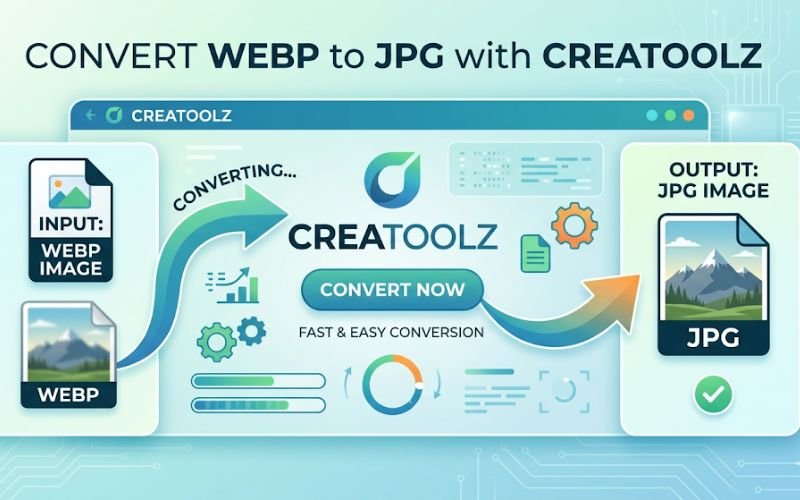
In today’s digital landscape, the choice of image format can significantly impact functionality, quality, and user experience. Among the various formats, WEBP has gained recognition for its ability to compress images without losing quality. However, there are scenarios where converting WEBP to PNG is beneficial or necessary. Creatoolz offers a fast and efficient solution for this conversion. In this article, we’ll dive into the advantages of both WEBP and PNG formats, the benefits of using Creatoolz for the conversion process, and a step-by-step guide on how to easily convert your images.
Understanding Image Formats: WEBP vs. PNG
What is WEBP?
WEBP is an image format developed by Google that utilizes both lossy and lossless compression techniques. This results in significantly smaller file sizes compared to traditional formats like JPG to PNG. Key features of WEBP include:
- Smaller File Size: WEBP images are typically 25-34% smaller than JPG images. This makes them excellent for web use, especially in enhancing load speeds.
- Support for Transparency: Similar to PNG, WEBP supports transparency, which allows for versatile use in web design.
- High Quality: Despite lower file sizes, WEBP maintains high image quality, making it suitable for photographs and detailed graphics.
What is PNG?
PNG (Portable Network Graphics) is a widely-used image format known for its lossless compression. Key characteristics include:
- Lossless Compression: PNG retains all image data, ensuring high quality and clarity. This is particularly useful for images with text, graphics, or transparent backgrounds.
- Transparency Support: PNG is ideal for images requiring alpha transparency, allowing for smooth color transitions and overlays in design work.
- Larger File Sizes: PNG images are generally larger than JPG or WEBP files, which can slow down load times on websites but provide enhanced detail.
Why Convert WEBP to PNG?
1. Compatibility
Although WEBP is gaining traction, not all platforms and software support this format. Converting your WEBP images to PNG ensures they are accessible across all devices and applications, eliminating any compatibility issues.
2. Enhanced Editing Capabilities
Editing software often has better support for PNG files. By converting WEBP to PNG, graphic designers and photographers can take advantage of the superior clarity and lossless quality that PNG offers, allowing for detailed editing without degradation.
3. Simplified Sharing and Usage
In situations where files need to be shared with non-technical users or used in applications that do not support WEBP, PNG provides a straightforward solution. PNG files are more universally accepted, making them easier to share and use.
How to Convert WEBP to PNG Using Creatoolz
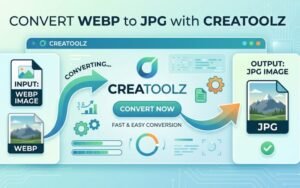
With Creatoolz, converting WEBP images to PNG is quick and hassle-free. Here’s a step-by-step guide to help you navigate through the conversion process.
Step 1: Access the Creatoolz Page
First, navigate to the Creatoolz WEBP to PNG Converter. The interface is designed to be intuitive and easy to use.
Step 2: Upload Your WEBP Files
You can upload your files in two ways:
- Drag and Drop: Simply drag your WEBP images from your file explorer and drop them into the designated area on the page.
- Select Files: Alternatively, click the “Choose Files” button to browse and select the files you wish to convert from your device.
Step 3: Convert to PNG
Once your images are uploaded, ensure that the output format is set to PNG. Click the “Convert to PNG” button to begin the conversion process. Creatoolz handles everything quickly and efficiently.
Step 4: Download Your PNG Images
After the conversion is complete, you will receive a link to download your newly converted PNG images. Click the download link, and your high-quality PNG files will be saved to your device.
Benefits of Using Creatoolz for WEBP to PNG Conversion
1. Free Service
Creatoolz is entirely free to use, providing a cost-effective solution for anyone needing to convert images without the burden of purchasing software or subscriptions.
2. No Registration Required
You can begin using Creatoolz immediately without having to create an account. This makes the process quick and convenient, allowing for instant conversions.
3. High-Quality Output
The platform ensures that your converted PNG images maintain a high level of quality. You won’t have to worry about losing any detail during the conversion process.
4. Fast Conversion Speeds
In today’s fast-paced world, time is essential. Creatoolz provides rapid processing, allowing you to convert and download your images in seconds.
5. User-Friendly Interface
The simple layout and intuitive design make Creatoolz accessible for users of all skill levels. You don’t need to be tech-savvy to navigate the platform successfully.
6. Secure and Private
Your uploaded files are processed securely. Creatoolz does not store your images after the conversion, ensuring your data remains private and confidential.
Use Cases for WEBP to PNG Conversion
Graphic Design
Graphic designers can benefit immensely from converting WEBP images to PNG, especially when working on projects that require high-resolution outputs and transparency.
Web Development
Web developers often need to prepare images for various devices. Converting WEBP to PNG enhances compatibility across different platforms, ensuring that images load correctly.
Social Media
For social media managers, using PNG files can enhance the visual quality of posts. Converting WEBP files allows for better quality when uploading images to various social channels.
E-Commerce
E-commerce platforms benefit from high-quality images. Converting product images to PNG ensures that they look great regardless of the device a customer uses to view them.
Personal Use
Whether you’re sharing photos with friends or preparing images for a presentation, converting to PNG offers a universally accepted format that won’t cause issues for recipients.
Conclusion
Converting WEBP to PNG is an essential process for those looking to enhance image quality, maintain compatibility, and simplify sharing across various platforms. With Creatoolz, the process is efficient, user-friendly, and completely free.
If you’re looking for a reliable solution for your image conversion needs, visit the Creatoolz WEBP to PNG Converter today. Transform your images effortlessly and enjoy the benefits of high-quality PNG files in no time!
Frequently Asked Questions (FAQs)
What is a WEBP to PNG converter?
A WEBP to PNG converter is a tool that changes WEBP images into PNG format without losing quality.
Why should I convert WEBP to PNG?
PNG is more widely supported and works better for editing, sharing, and uploading on different platforms.
Is Creatoolz WEBP to PNG converter free to use?
Yes, Creatoolz allows you to convert WEBP images to PNG quickly without any cost.
Will my image quality be affected after conversion?
No, the tool is designed to keep your image quality high during the conversion process.
Do I need to install any software to use Creatoolz?
No, you can convert images directly online without downloading or installing anything.