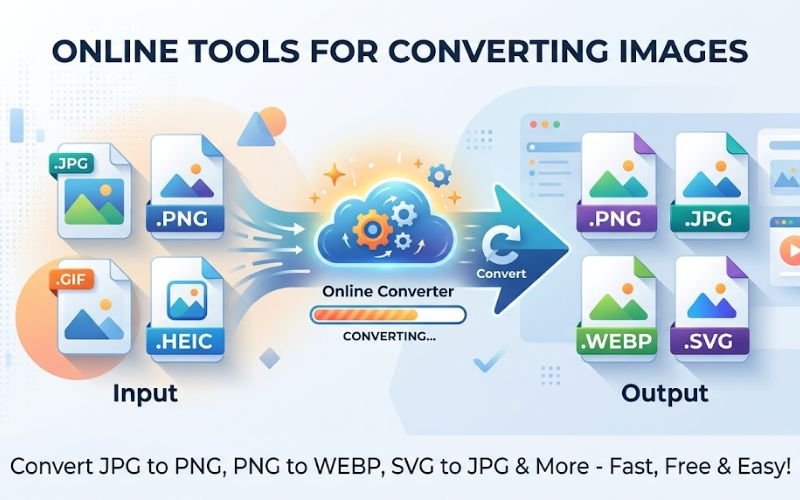
In today’s fast-paced digital world, having reliable and easy-to-use online tools can help you complete tasks much faster. The Creatoolz Tools page offers a collection of useful, browser-based utilities such as image converters, compressors, and a text case converter. These tools are built to save time for marketers, web designers, content creators, and small business owners. Whether you want to convert image formats for better website performance, compress large files for quicker uploads, or fix text formatting for consistent branding, Creatoolz provides simple tools that fit smoothly into your workflow.
Why Online Tools Are Important for Modern Businesses
Digital marketers and web teams need to create high-quality content while keeping websites fast and user-friendly. Optimising images and file formats is one of the easiest ways to improve website speed, SEO, and user experience. Creatoolz’s free tools help you:
- Reduce page loading time by converting and compressing images
- Keep your brand consistent using the text case converter
- Save time on repeated tasks without installing software
- Improve SEO and accessibility with optimized file formats and sizes
Key tools on Creatoolz Tools page
-
Image Converter
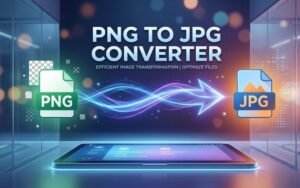
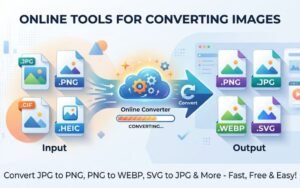
The Image Converter is one of Creatoolz’s most useful utilities. It supports multiple format changes—JPG to PNG, PNG to JPG, JPG to WEBP, WEBP to JPG and PNG to WEBP—making it simple to prepare the right asset for the web or print. Converting images to WEBP, for example, can significantly reduce file size while maintaining visual quality, helping pages load faster and improving Core Web Vitals.
-
Image Compressor
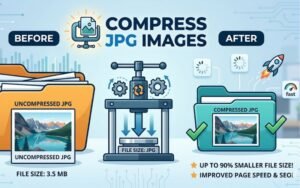
Large images can be the main cause of slow pages. Creatoolz’s Image Compressor reduces JPEG, PNG and WEBP files while preserving acceptable visual fidelity. This tool lets developers and content editors quickly shrink images before upload, which lowers bandwidth, speeds up page renders and improves search engine rankings.
-
Case Converter
Consistency in text presentation matters for branding and readability. The Case Converter on Creatoolz makes it simple to switch between uppercase, lowercase, title case and other formats—useful for headings, meta tags, social posts and email subject lines. Clean, consistent copy helps improve user trust and supports a polished online presence.
How these tools improve SEO and site performance
Search engines reward sites that load quickly and provide good user experiences. Image optimisation is a proven SEO tactic:
- Converting images to modern formats like WEBP reduces payload size, improving load time.
- Compressing images removes unnecessary bytes without perceptible quality loss, reducing Time to First Byte (TTFB) and Largest Contentful Paint (LCP).
- Consistent headline and meta tag casing (using the Case Converter) helps maintain professional presentation and can positively influence click‑through rates from search results.
Using Creatoolz tools in practical workflows
- Content creators: Before publishing a blog post, run images through the Image Converter and Compressor to ensure fast load times on mobile and desktop.
- Web developers: Convert large PNGs to WEBP during the build process, and use the Case Converter to standardise CTA text and headings.
- E‑commerce teams: Optimise product images in bulk to speed up catalog pages and improve conversion rates.
- Social media managers: Quickly adjust text case for captions or headlines to match platform best practices.
Simple, step‑by‑step usage
Creatoolz keeps workflows intuitive:
- Choose your file(s): Drag-and-drop or upload images directly.
- Select the desired conversion/compression option (JPG → PNG, PNG → WEBP, compress, etc.).
- Start the process and download the optimized files for immediate use.
This minimal friction is ideal for teams that need quick results without a steep learning curve.
Security, accessibility and convenience
Because Creatoolz is browser‑based, there’s no need to install software. Users should, however, follow sensible precautions for sensitive images—avoid uploading confidential or personal documents to public tools unless the provider’s privacy policy allows safe processing. The site’s clear UI and labelled tools reduce mistakes, and the mobile‑friendly design enables on‑the‑go fixes.
Why Creatoolz stands out
- Utility focus: Rather than a bloated suite, Creatoolz concentrates on high‑value tools that solve common problems—image conversion, compression and case formatting.
- Time savings: Quick conversions and compressors eliminate time wasted on manual resizing or installing separate apps.
- Free and accessible: The tools are available directly in the browser, making them ideal for freelancers and small teams.
- Practical SEO benefits: By targeting image optimisation and content consistency, Creatoolz helps improve page speed and search performance.
Best practices when using Creatoolz
- Always keep original high‑resolution images archived; use Creatoolz to generate web‑ready assets.
- Test converted images across devices to ensure quality and colour accuracy.
- Combine compression with responsive image techniques (srcset) to serve appropriate sizes to different screens.
- Use the Case Converter to standardise metadata and on‑page headings for consistent SEO signals.
Conclusion
Creatoolz’s Tools page is a compact, practical resource for anyone who needs fast, reliable image conversion, compression and text case utilities. By streamlining these routine tasks, Creatoolz helps teams publish faster, improve SEO and deliver a better user experience. For marketers, developers and content creators looking to optimise workflows without added complexity, Creatoolz is a smart, time‑saving toolkit to keep bookmarked. Visit https://creatoolz.com/tools/ to try the converters and compressors and start improving your site performance today.
Frequently Asked Questions
What are Creatoolz tools?
Creatoolz tools are online tools that allow you to convert, compress, and optimize files in a quick and easy way.
Are Creatoolz tools free?
Yes, most of the tools on Creatoolz are completely free to use.
Do I need to install anything to use Creatoolz?
No, you can use all tools directly in your browser without installing any software.
Which file types are supported?
You can work with image formats like PNG, JPG, and WEBP for conversion and compression.
Is it safe to use Creatoolz tools?
Yes, your files are handled securely and processed safely while using the tools.