In today’s digital landscape, image compression plays a pivotal role in optimizing website performance. With the proliferation of high-resolution images, a significant challenge arises: keeping quality high while minimizing loading times. This is where the WebP format comes into play. In this article, we will explore the advantages of WebP, how it compares to other formats, and the importance of using a reliable compression tool like Creatoolz to harness its benefits.
What is WebP?
WebP is an image format developed by Google that provides superior lossless and lossy compression for images on the web. It makes web pages more efficient by ensuring that images load faster without sacrificing quality. The primary objective of WebP is to reduce the size of images, which ultimately enhances user experience and boosts search engine rankings.
Using WebP has the following advantages:
1. Quicker load times
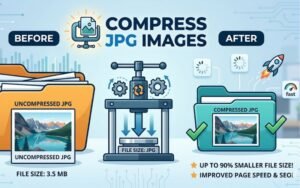
The capacity of WebP format to transmit images that are far lower in size than more conventional formats like JPEG and PNG is one of its major advantages. Google claims that WebP photos are roughly 26% smaller than JPEG images of the same quality. This results in quicker load speeds, which are essential for raising user retention rates and enhancing the functionality of websites as a whole.
- Improved Picture Quality
Both lossless and lossy compression are supported by WebP. This implies that you have the option of choosing a smaller size with little loss of quality or compressing photographs while maintaining their excellent quality. Whether you’re presenting product photographs, blog visuals, or backdrop graphics, this versatility guarantees that you can accommodate different needs and settings.
- Support for Transparency and Animation
The WebP format’s ability to enable animation (like GIF) and transparency (like PNG) is another notable feature. This enables you to simplify media management and maintain the lightweight nature of your website by enabling you to produce effects that were previously only achievable with several file formats.
- Benefits of SEO
Your website’s SEO is directly impacted by faster load times, better image quality, and smaller image sizes. You can increase your page speed and, eventually, your search engine rankings by using the WebP format. Search engines like Google give preference to websites that load quickly. For website owners who are concerned about SEO, this makes it a vital tool.
How to Convert Pictures to WebP
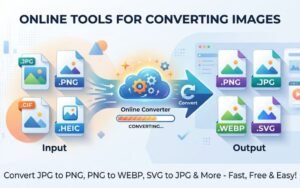
With the myriad of advantages presented by WebP, you might wonder about the process of converting your existing images. Creatoolz offers a user-friendly platform to compress WebP images effectively. Here’s how you can get started:
Visit the Creatoolz Website: Go to the Creatoolz website, where you can conveniently access the image compression tool.
Upload Your Images: Select the images you want to convert and upload them to the platform.
Choose Your Compression Settings: Decide whether you want to use lossy or lossless compression based on your requirements.
Download: After the tool processes your images, you can download the WebP files and implement them on your website.
Best Practices for Using WebP Images
To maximize the benefits of WebP format, consider the following best practices:
- Assess Compatibility
Before diving into WebP, check your audience’s browser compatibility. While most modern web browsers support WebP, be mindful of users with older browser versions. Consider providing fallback options for unsupported formats to ensure a seamless experience for all visitors.
- Use Responsive Images
Implement responsive design principles when using images on your website. This ensures that images load appropriately on different devices, which enhances user experience and site speed.
- Optimize Alt Text
Don’t neglect the importance of alt text when using WebP images. This not only aids in SEO but also enhances accessibility for visually impaired users.
- Leverage Caching
Use efficient caching when using WebP pictures. This reduces loading times for returning visitors, providing a smoother experience. Consider using caching plugins if you are using a CMS like WordPress.
In conclusion
The WebP format is a game-changer for web design and optimization. It is a vital tool for website owners who prioritize speed, efficiency, and customer happiness because it can produce high-quality images while drastically lowering file sizes. Platforms like Creatoolz streamline the process of converting and compressing images, allowing you to stay ahead in the competitive digital landscape. As you consider your website’s performance and SEO strategy, remember the power of WebP images. Integrating them into your arsenal can lead to faster load times, enhanced user experience, and improved search engine rankings. Stay updated on your website’s media management to reap the benefits of this innovative image format. For further resources, such as image compression tools, explore the available options at Creatoolz. Your patience is appreciated as they continue to enhance their services—stay tuned for a better experience soon!
Frequently Asked Questions (FAQs)
1. What is WebP format and why is it important for websites?
WebP is an image format that reduces file size while keeping high quality, helping websites load faster and rank better on search engines.
2. How does WebP improve website speed?
WebP images are smaller than JPG and PNG, which reduces page load time and improves overall site performance.
3. Is WebP better for SEO than JPG and PNG?
Yes, WebP improves Core Web Vitals and page speed, which are important ranking factors for SEO.
4. Do all browsers support WebP images?
Most modern browsers like Chrome, Edge, Firefox, and Safari support WebP format.
5. How can I convert images to WebP for my website?
You can use online image converters or website plugins to easily convert JPG and PNG images to WebP format.