
In today’s digital landscape, image optimization is essential for both personal and professional use. Whether you’re managing a blog, handling social media posts, or creating marketing materials, the quality and format of your images play a crucial role. This is where Creatoolz steps in, offering an array of online tools designed to make image processing simple and efficient.
The Importance of Image Optimization
Images are the heart of any digital content. They capture attention, convey messages, and enhance user experience. However, images can also slow down website loading times if not optimized correctly. This is especially true for high-resolution photos. By optimizing images, you can improve load times, increase engagement rates, and enhance SEO performance.
Why Choose Creatoolz?
Creatoolz provides a comprehensive suite of tools designed to streamline your image processing needs. From converting files to compressing images, this platform is user-friendly and accessible from any device, making it the ideal solution for everyone—from professional graphic designers to everyday users.
Key Features of Creatoolz
- Versatile Image Conversion
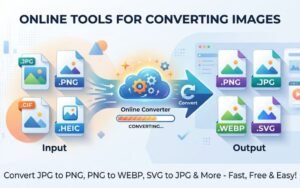
One of the standout features of Creatoolz is its ability to convert images from one format to another effortlessly. Whether you need to transform JPGs to PNGs, PNGs to JPGs, or even WEBP to JPG, Creatoolz has you covered. The conversion process is straightforward:- Simply upload your image.
- Choose the format you desire.
- Download your converted file.
- Image Compressor
Large image files can significantly slow down site performance. Creatoolz‘s image compressor allows users to reduce file sizes without compromising quality. This feature is perfect for optimizing web pages, sending images via email, or saving storage space on your devices. To compress an image:- Upload your image.
- Select the desired compression level.
- Download the optimized version.
- Case Converter
Managing text within images can sometimes be tedious. Creatoolz offers a case converter that allows you to change the case of text easily, whether you need to convert it to uppercase, lowercase, or title case, making it a handy tool for designers and marketers alike. - User-Friendly Interface
One of the key benefits of Creatoolz is its user-friendly interface. The platform is designed for efficiency, allowing users to navigate the tools without any technical expertise. With just a few clicks, you can complete your tasks—perfect for busy professionals and casual users alike. - Multi-Format Support
Creatoolz supports various file formats, including JPG, PNG, WEBP, and PDF. This versatility means you can handle all your image-related tasks in one place without needing multiple applications or software.
How to Use Creatoolz: A Step-by-Step Guide
Getting started with Creatoolz is simple. Here’s a step-by-step guide for using some of the most popular features:
Converting JPG to PNG
- Visit the Creatoolz Website: Open your browser and go to Creatoolz.com.
- Select JPG to PNG Converter: From the home page, find and click on the JPG to PNG option.
- Upload Your Image: Click the upload button to select your JPG file from your device.
- Convert the Image: Once uploaded, click on the “Convert” button. The tool will process your file and convert it to PNG format.
- Download Your File: After the conversion is complete, a download link will appear. Click to save the converted file to your device.
Compressing an Image
- Go to the Image Compressor: From the main menu, select the Image Compressor tool.
- Upload Your Image: Click to upload the image you want to compress.
- Choose Compression Settings: Select the level of compression you prefer.
- Start Compression: Click on the “Compress” button and wait for the process to finish.
- Download the Compressed Image: Once done, download the optimized image for use.
Benefits of Using Creatoolz for Your Image Needs
- Time-Saving:
With quick and efficient tools, Creatoolz significantly reduces the amount of time spent on image manipulation. You can complete multiple tasks in minutes rather than hours. - Accessibility:
Being an online platform, Creatoolz allows you to access its tools anytime, anywhere, as long as you have an internet connection. No need for software downloads or complex installations. - Cost-Effective:
Many image editing tools can be costly, but Creatoolz offers essential features for free. This makes it an excellent choice for businesses and individuals focusing on budget-friendly solutions. - Enhances Professionalism:
High-quality, optimized images reflect professionalism. Using Creatoolz ensures that your images are polished and appealing, making your content more engaging. - Supports Your SEO Efforts:
Optimized images contribute positively to your SEO strategy by improving page load speed and user experience, which are crucial factors in search engine rankings.
Use Cases for Creatoolz
Creatoolz is not just for graphic designers; it caters to a wide range of users:
- Bloggers: Enhance your blog posts with optimized images.
- E-Commerce Businesses: Ensure product images are clear and load quickly to improve customer experience.
- Marketers: Create visually appealing content for social media and email campaigns with ease.
- Students and Educators: Convert and compress files for projects and presentations efficiently.
Conclusion
In an era where visuals play a crucial role in communication, having the right tools for image processing is essential. Creatoolz offers a one-stop solution for all your image conversion, compression, and case conversion needs. Its user-friendly interface and versatile features make it an invaluable resource for anyone looking to enhance their digital content.
If you haven’t tried Creatoolz yet, visit Creatoolz.com today and experience the ease of image management at your fingertips. Elevate your digital content with optimized images that shine, captivate, and engage your audience!
Frequently Asked Questions (FAQs)
FAQ: What is Creatoolz?
Creatoolz is an online tool that allows users to easily edit and transform images, offering various features such as format conversion and resizing.
How do I use Creatoolz to transform my images?
Simply upload your image to the Creatoolz platform, choose the transformation options you need, and follow the prompts to download your edited image.
Can I convert multiple images at once using Creatoolz?
Yes, Creatoolz supports batch processing, allowing you to upload and transform multiple images simultaneously for added convenience.
Is there a cost to use Creatoolz?
Creatoolz offers a range of free and premium features. Basic transformations may be free, while advanced options could require a subscription or one-time fee.
What image formats does Creatoolz support?
Creatoolz supports a variety of image formats, including JPG, PNG, GIF, and more, making it versatile for different editing needs.