
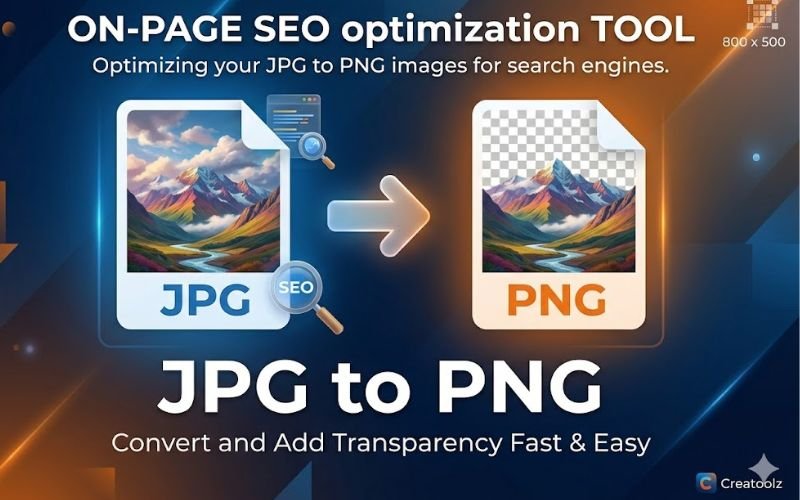
Why convert JPG to PNG?
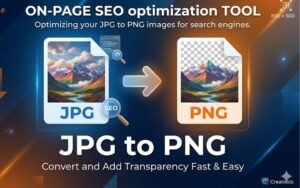
JPG (JPEG) is a lossy format optimised for photographic images where file size is important. PNG, by contrast, is a lossless format that preserves image detail, supports transparent backgrounds and produces crisper results for text, logos and images with sharp edges. Convert JPG to PNG when you need:
- Transparency (removing or replacing backgrounds for overlays and logos).
- Higher fidelity for subsequent editing (PNG preserves more detail through edits).
- Clearer line art, icons or text where JPG compression creates artefacts.
- A format suitable for layered or composited designs where quality retention matters.
About Creatoolz JPG to PNG converter
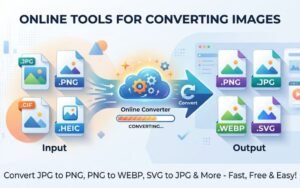
Creatoolz provides an intuitive JPG to PNG converter right in your browser—no registration required. Designed for speed and accessibility, the tool supports single or multiple file uploads, lets you convert images with a few clicks, and provides immediate downloads of the converted PNG files. This makes it ideal for teams and individuals who need to process images quickly on any device.
How to use the JPG to PNG tool
- Choose JPG files: Drag-and-drop or upload JPG images into the converter interface.
- Start conversion: Click “Convert to PNG” to process the uploaded files.
- Download images: Once processing is complete, download your PNG files for use on websites, design apps or print projects.
This simple workflow removes the need for desktop apps and is especially useful when working remotely or on borrowed devices.
SEO and performance considerations
Although PNG files are typically larger than JPGs, there are legitimate SEO and usability reasons to use PNG:
- Use PNG for logos, UI images and graphics that require transparency or crisp edges—these contribute to a professional-looking site and can improve user engagement.
- For photographic content, prefer JPG or WEBP to reduce page load times and improve Core Web Vitals. When PNG is necessary, combine it with optimisation steps (resizing and compression) to limit page weight.
- Properly optimised images enhance page speed, reduce bounce rates and support SEO—serve PNGs only where their benefits outweigh the file‑size cost.
Best practices when converting JPG to PNG
- Keep originals: Archive your original JPGs so you can re-export or re-edit as needed.
- Resize before converting: Scale images to the display size required on the site to avoid unnecessarily large PNG files.
- Use PNG selectively: Reserve PNG for graphics, logos or images needing transparency—use JPG or WEBP for photographic content.
- Compress if needed: After conversion, if file size is a concern, run PNGs through a lossless optimizer to reduce bytes while preserving quality.
- Use responsive images: Serve appropriately sized PNGs via srcset to match device resolutions and minimise bandwidth.
When not to convert JPG to PNG
Avoid converting photographic JPGs to PNG for the sole purpose of preservation—PNG will usually produce larger files without perceptible quality improvement for photos. For photo-rich pages, JPG or modern formats like WEBP to PNG are better choices for performance and SEO.
Workflow advantages and bulk conversion
Creatoolz’s tool supports batch uploads so you can convert multiple JPGs to PNG in one session, which is useful for agencies, e‑commerce teams and content creators preparing assets. Incorporate the converter into a typical workflow: edit → resize → convert → optimise → upload. This streamlines publishing and reduces friction between design and development teams.
Use cases for JPG to PNG conversion
- Web design: Converting a hero image with a transparent overlay or creating icons and logos in PNG to keep sharp edges.
- E‑commerce: Preparing product images with transparent backgrounds for consistent catalogue presentation.
- Graphic design: Converting client photos into PNG for composite work in tools like Photoshop or Figma.
- Social media: Creating overlays, stickers or transparent assets for posts and stories.
Security and privacy
Creatoolz’s browser-based tool is convenient, but avoid uploading sensitive or confidential images unless you trust the site’s privacy practices. For most public or marketing assets, Creatoolz is a fast, effective conversion option.
Why Creatoolz stands out
- No signup required: Fast conversions without account creation.
- Simple UI: Drag-and-drop uploads and clear conversion steps make the tool accessible to non-technical users.
- Multi-file support: Batch processing saves time for teams handling multiple assets.
- Cross-device portability: Use the tool on desktops, laptops and mobile devices without installing additional software.
Conclusion
Converting JPG to PNG is a practical step when you need transparency, lossless quality or crisp graphics for web and print projects. Creatoolz’s JPG to PNG converter simplifies the process—upload, convert and download—while supporting batch conversions and an intuitive interface. Use PNG selectively where its advantages matter most, pair conversion with resizing and optimisation, and integrate the tool into your publishing workflow to save time and improve visual quality. Try the Creatoolz PNG to PGF tool today to make image conversion fast and hassle‑free.
Frequently asked questions(FAQs)
Is Creatoolz free to use?
Yes, Creatoolz lets you convert JPG to PNG for free online.
Do I need to install software to convert my files?
No. It works directly in your browser—no downloads or installs needed.
Will converting JPG to PNG improve image quality?
PNG is lossless, so it can preserve detail better—especially for graphics, logos, and images needing transparency.
Does the tool support transparency?
PNG supports transparency, so if your source needs transparency output, PNG is the better format.
How fast is the JPG to PNG conversion?
Conversions are designed to be quick, so you can get your PNG file with minimal waiting.