
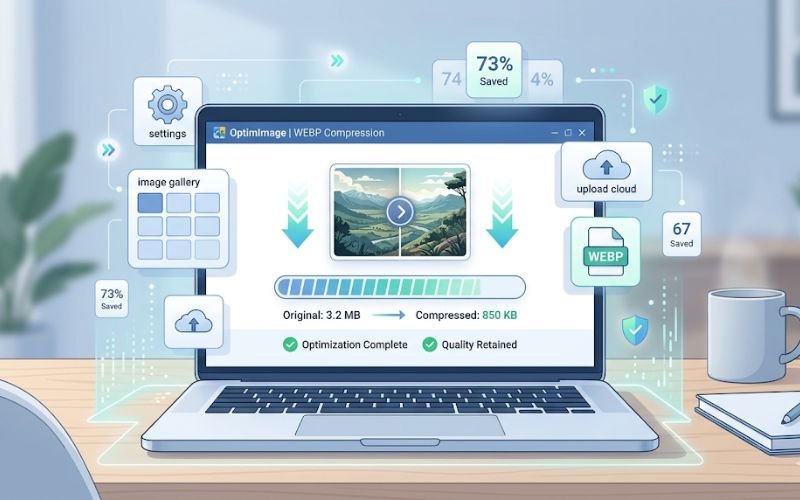
In today’s digital landscape, image optimization is crucial for ensuring swift web performance and enhancing user experience. While the WEBP format, created by Google, has gained popularity due to its efficient compression capabilities, it’s essential to compress these images further for optimal web use. Creatoolz provides a simple and reliable solution for compressing WEBP images without losing quality. In this article, we’ll explore the importance of WEBP image compression, the benefits of using Creatoolz, and a step-by-step guide to help you utilize this tool effectively.
Understanding the WEBP Format
What is WEBP?
WEBP is an image format that offers both lossy and lossless compression. Developed by Google, it is designed to provide superior image quality at reduced file sizes compared to other traditional formats like JPG and PNG. This makes it an ideal choice for web developers and content creators who need to optimize images for faster loading times.
Advantages of Using WEBP
- Smaller File Sizes: One of the primary benefits of WEBP is that it can significantly reduce file sizes, often up to 34% smaller than comparable formats. This leads to quicker load times and a better user experience.
- Support for Transparency: WEBP supports alpha transparency, which is essential for images with varying degrees of transparency, such as logos and overlays.
- High Quality: Despite the smaller file sizes, WEBP maintains high image quality, making it suitable for photographs and graphics.
Why Compress WEBP Images?
While WEBP already offers efficient compression, further compressing your images can provide several advantages:
- Improved Loading Times: Compressed images load faster, resulting in a smoother browsing experience. This is especially important for e-commerce websites and blogs where user engagement is critical.
- Enhanced SEO Performance: Page speed is a significant ranking factor for search engines. By compressing WEBP images, you can improve your website’s loading time, enhancing its performance in search engine rankings.
- Reduced Bandwidth Costs: Compressed images consume less bandwidth, which can lower hosting costs, particularly for websites with high traffic.
- Better User Experience: Quick-loading images lead to better user retention and engagement, as visitors are more likely to stay on a site with optimized images.
How to Compress WEBP Images Using Creatoolz
Creatoolz offers an intuitive platform for compressing WEBP images efficiently. Here’s a step-by-step guide to help you through the process:
Step 1: Access the Creatoolz Compression Tool
Begin by navigating to the Creatoolz WEBP Compression Tool. The user-friendly interface is designed for ease of use, allowing you to start the compression process without delay.
Step 2: Upload Your WEBP Files
To upload your images, you have two options:
- Drag and Drop: Simply drag your WEBP files from your computer and drop them into the designated area on the webpage.
- Choose Files: Alternatively, click the “Choose Files” button to browse for the images you want to compress.
Step 3: Start the Compression Process
Once your files are uploaded, click on the “Compress WEBP” button. Creatoolz will begin processing your images, applying efficient compression techniques to reduce their file sizes.
Step 4: Download Your Compressed Images
After the compression process is complete, you’ll receive a prompt to download your optimized WEBP images. Click the download link to save your newly compressed files to your device.
Benefits of Using Creatoolz for WEBP Compression
1. Free to Use
One of the standout features of Creatoolz is that it offers a completely free service. Users can compress their images without any financial burden, making it an excellent choice for individuals and small businesses alike.
2. No Registration Required
You won’t need to create an account or sign up to use Creatoolz. This simple accessibility allows you to start compressing images right away, saving time and effort.
3. High-Quality Output
Creatoolz employs advanced compression algorithms that maintain the visual quality of your images. You can compress your WEBP files without worrying about losing detail or clarity.
4. Fast Processing Speeds
The platform is designed for efficiency, allowing you to compress and download your images in a matter of seconds. This rapid processing is crucial for users needing to optimize multiple images quickly.
5. User-Friendly Interface
Even if you’re not tech-savvy, you’ll find the Creatoolz interface intuitive and easy to navigate. Anyone can compress images without prior technical knowledge.
6. Secure and Private
Your privacy is important. Creatoolz does not store your files after processing, ensuring that your images remain confidential and secure.
Use Cases for Compressing WEBP Images
1. Web Development and Design
Web developers can benefit immensely from creating faster-loading pages by compressing WEBP images. This not only enhances user experience but also optimizes sites for better SEO performance.
2. E-commerce
For online retailers, image quality is paramount. Compressed WEBP images can enhance page load times, improving conversion rates and reducing bounce rates.
3. Graphic Designers
Graphic designers often work with high-resolution images that need to be optimized for web display. Using Creatoolz to compress WEBP files ensures that their designs maintain quality while being lightweight.
4. Content Creators and Bloggers
Content creators aiming for high engagement and lower bounce rates should utilize image compression tools like Creatoolz. Compressed images help ensure that blog posts and articles are visually appealing without sacrificing loading speed.
5. Marketing Professionals
Marketers benefit from optimizing images for campaigns. By compressing WEBP images, they can enhance loading times in email marketing and social media, leading to better engagement rates.
Conclusion
In the realm of digital media, image optimization is a vital aspect of delivering quality content and enhancing user experience. Creatoolz provides a fast, efficient, and free solution for compressing WEBP images, ensuring that you can maximize quality while minimizing file size.
If you’re looking to streamline your image management and improve your website’s performance, visit the Creatoolz WEBP Compression Tool today. Experience the ease and effectiveness of compressing WEBP images, helping you achieve faster load times and better SEO performance for your digital content!
Frequently Asked Questions (FAQs)
What is WEBP image compression
WEBP image compression reduces the file size of images while maintaining good quality making them faster to load on websites
How does Creatoolz compress WEBP images
Creatoolz uses advanced algorithms to minimize image size without significantly affecting visual quality
Will image quality be affected after compression
Creatoolz is designed to keep image quality high while reducing file size so the difference is usually not noticeable
Why should I use WEBP images for my website
WEBP images load faster and improve website performance which can help with user experience and SEO
Is Creatoolz easy to use for beginners
Yes Creatoolz provides a simple and user friendly interface allowing anyone to compress WEBP images quickly and efficiently