
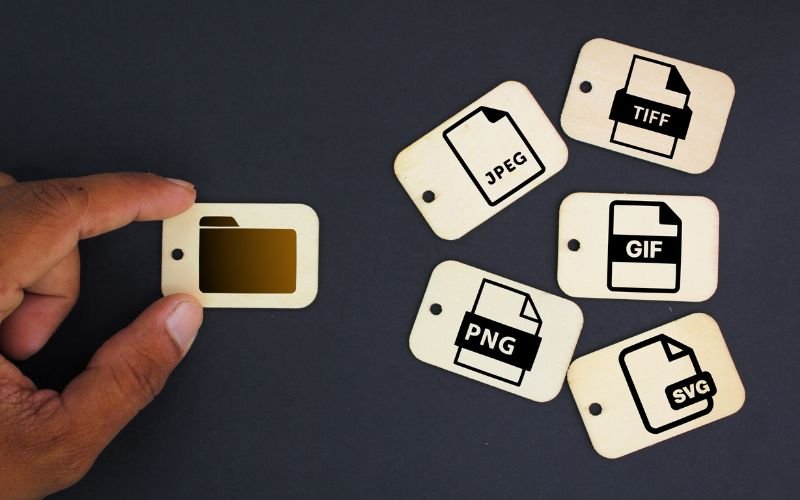
In the digital age, the need for efficient file management is more critical than ever. Converting JPG to PDF is a typical need for many users. Whether you’re a student compiling research, a professional preparing presentations, or someone looking to organize personal photos, the ability to convert JPG images to PDF format can greatly enhance your workflow. This article explores the benefits of converting JPG to PDF, the process itself, and tips for optimizing your images for this format.
Understanding JPG and PDF Formats
JPG: What is it?
One of the most popular image formats is JPG (sometimes called JPEG, which stands for Joint Photographic Experts Group). Its popularity stems from its balance between image quality and file size, making it ideal for photographs, web graphics, and general applications.
Key Features of JPG:
Lossy Compression: JPGs use lossy compression to reduce file size, which means some quality is sacrificed for smaller file sizes. This is particularly useful for high-resolution images such as photographs.
Compatibility: JPG files are accessible on a variety of devices because they work with almost all operating systems and programs.
Good for Photographs: JPG is well-suited for images with gradients and complex coloring, making it the preferred format for digital photographs.
What is PDF?
The purpose of the PDF (Portable Document Format) file format is to display documents regardless of operating systems, hardware, or application software. PDFs are widely used for sharing and printing documents while maintaining their intended formatting.
Key Features of PDF:
Fixed Layout: PDFs maintain document layout, guaranteeing that content looks precisely the same on all platforms and devices.
Security Options: PDFs can be encrypted and password-protected, making them suitable for sensitive documents.
Multimedia Support: PDFs can include text, images, graphics, and even videos, allowing for versatile document creation.
Why Convert JPG to PDF?
-
Enhanced Organization
When you convert JPG to PDF, you can compile multiple images into a single document. This is particularly beneficial for presentations, photo albums, or any situation where multiple images need to be presented cohesively.
-
Improved Compatibility for Sharing
PDFs are widely supported across different devices and platforms. Sharing among people who might not have the necessary software to access JPG files is made easier by converting JPG photos to PDF.
-
Maintain Quality and Format
While JPG images lose some quality during compression, converting them to PDF helps in preserving their intended appearance. Without the deterioration that can happen with JPG compression, PDFs preserve high-quality images.
-
Ease of Printing
PDFs are usually recommended if you need to print photos. They maintain consistency in layout and quality, making the output more reliable during the printing process.
-
Document Security
PDFs offer options for restricting access through password protection. This is crucial when sharing sensitive information or proprietary designs.
How to Convert JPG to PDF
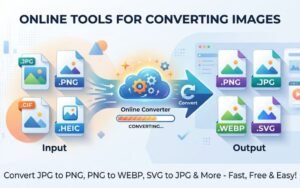
Converting JPG to PDF is a straightforward process. Here’s a step-by-step guide to help you through it:\
Step 1: Choose a Reliable Conversion Tool
Select a trusted online tool for conversion. Creatoolz is an excellent option, offering a user-friendly platform for seamless JPG to PDF conversion.
Step 2: Upload Your JPG Files
Once on the conversion page, upload the JPG images you wish to convert. Many tools allow for single or batch uploads, depending on how many files you’re working with.
Step 3: Adjust Your Settings (If Needed)
Some tools provide settings for adjusting output dimensions, quality, or layout preferences. Review these options to ensure your final PDF meets your needs.
Step 4: Image Conversion
To begin the conversion process, click the button. Conversion times will vary based on the size and number of images being processed.
Step 5: Download the PDF
Once the conversion is complete, download your newly created PDF document. Always check the finished product to ensure everything appears as intended.
Tips for Optimizing Your JPG Images for PDF Conversion
To get the best results when converting JPG to PDF, consider these optimization tips:
-
Use High-Quality Images
Starting with high-resolution JPG images ensures that the final PDF retains quality. Avoid using overly compressed JPGs, as this can lead to a loss in detail and clarity.
-
Check Image Dimensions
Before conversion, verify that your JPG images have appropriate dimensions. Adjusting the size beforehand can help prevent unwanted cropping in the final PDF.
-
Make Use of Regular Aspect Ratios
Consistent aspect ratios assist guarantee a more polished appearance when combining several photos into a single PDF. This is especially crucial for portfolios and presentations.
-
Make Use of PDF Features
PDF files can include additional features like bookmarks and hyperlinks. Take advantage of these options to enhance navigation in your document if it contains multiple pages.
Conclusion
Converting JPG to PDF is a valuable skill that can significantly enhance your document management, presentation quality, and sharing capabilities. The PDF format is a great option for a variety of applications since it provides flexibility, security, and a polished appearance.
Tools like Creatoolz simplify the conversion process, allowing users to focus on content quality rather than format issues. Keep in mind how crucial conversion tools are to reaching your objectives as you continue to delve into the realm of digital pictures and documents.
Stay tuned for when Creatoolz is back online, and thank you for your patience as they continue to improve their services!