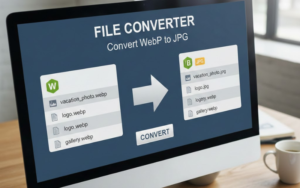

In today’s digital landscape, effective image management is crucial for businesses and individuals alike. Whether you’re creating compelling content for a blog, designing a website, or sharing images on social media, you might often find yourself needing to convert images from one format to another. One common transformation is from PNG to JPG. In this article, we’ll explore the advantages of converting images, the steps to make this conversion using Creatoolz, and best practices for managing your images effectively.
Understanding Image Formats: PNG vs. JPG
What is PNG?
PNG (Portable Network Graphics) is a widely used image format known for its transparency and lossless compression. It retains image quality without losing data, making it ideal for images requiring crisp lines and detail, such as logos and graphics. While PNG is great for web design and applications where transparency is needed, its file sizes can be larger compared to other formats.
What is JPG?
JPG (Joint Photographic Experts Group) is a lossy image format commonly used for photographs. When images are saved in JPG format, some data is discarded to reduce file size, which is often suitable for images with rich colors and gradients. JPGs are the preferred format for many online applications due to their smaller sizes, making them easier to load and share.
Why Convert PNG to JPG?
1. Reduced File Size
One of the primary reasons for converting PNG to JPG is the reduction in file size. JPG files are generally smaller, which helps in faster loading times on websites, leading to improved user experiences. This can be particularly beneficial for web developers and content creators.
2. Better Compatibility
While PNG files are supported by most modern browsers, JPG is universally compatible across various platforms and applications. Converting to JPG ensures that your images will display correctly for all users, regardless of their device or software.
3. Enhanced Performance
For websites, performance is crucial. Using JPG images can enhance your website’s speed, which impacts SEO rankings. Faster-loading sites are favored by search engines like Google, so optimizing your images by converting to JPG is a smart choice.
4. Suitable for Photography
If you’re working with photographs, JPEG’s compression algorithms are superior. The nature of photographic images involves softer gradients and color transitions, making JPG a better choice for these types of visuals.
How to Convert PNG to JPG Using Creatoolz
Creatoolz makes the process of converting PNG to JPG simple and user-friendly. Here’s a step-by-step guide:
Step 1: Access the PNG to JPG Converter
Start by visiting the Creatoolz PNG to JPG Converter. The interface is intuitive, designed for ease of use without requiring any technical expertise.
Step 2: Choose Your PNG Files
Click on the area labeled “Choose PNG Files.” You can either drag and drop your images into this space or click to upload them from your device. Creatoolz allows multiple file uploads, making it easy to batch convert images at once.
Step 3: Start the Conversion Process
Once your files are uploaded, simply click on the “Convert to JPG” button. Creatoolz processes the images quickly, utilizing efficient algorithms to ensure that the conversion is done with minimal loss in quality.
Step 4: Download Your Converted Images
After the conversion is completed, you will be prompted to download your new JPG files. These files are now optimized and ready for use across various platforms.
Best Practices for Image Management
Converting images is just one part of effective image management. Here are some additional best practices to consider:
1. Use Descriptive Filenames
When saving your converted JPG files, ensure that you use descriptive filenames. This practice not only helps in keeping your files organized but also improves SEO when used on websites. For instance, instead of naming an image “file1.jpg,” use “business-logo.jpg” to provide context.
2. Optimize Alt Text
Don’t forget to add alt text for each image when you upload them to your website. Alt text enhances accessibility for visually impaired users and helps improve your site’s SEO rankings by providing context to the search engines.
3. Regularly Audit Your Images
It’s crucial to keep your image library updated. Regularly audit your images to ensure they are relevant and optimized. Replace any outdated images with newly converted and optimized versions to maintain a professional and efficient online presence.
4. Experiment with Other Formats
While JPG and PNG are the most common, consider exploring other formats as well. WEBP, for example, offers superior file compression and quality. Depending on your project needs, diversifying your image formats can provide additional flexibility.
Common Issues and Solutions
Problem: Quality Loss After Conversion
Sometimes, converting from PNG to JPG may result in a perceived loss of quality. To mitigate this, always start with high-quality PNG images. The better the source image, the better the final result.
Problem: File Size Still Too Large
If the JPG files remain larger than expected, try adjusting the quality settings during the conversion on the Creatoolz platform. Lowering the quality slightly can significantly reduce file size without a noticeable drop in visual fidelity.
Conclusion
Converting PNG to JPG is a common yet essential task for anyone dealing with digital images. By utilizing the Creatoolz platform, you can effortlessly transform your images and benefit from their reduced file sizes and enhanced compatibility.
Following the steps outlined in this guide will ensure a smooth conversion process. By adopting best practices for image management, you’ll not only improve the performance of your images but also enhance user experience and SEO rankings.
Start converting your images today with Creatoolz and unlock the full potential of your visual content! Effective image management can elevate your digital presence, making your content more engaging and accessible to all.
Frequently Asked Question (FAQs)
Why would I want to convert PNG to JPG?
Converting PNG to JPG reduces file size, making images easier to share and upload, especially on platforms with size limits, while maintaining good quality.
What are the differences between PNG and JPG formats?
PNG supports transparent backgrounds and is lossless, while JPG uses lossy compression, reducing file size but potentially sacrificing some image quality.
How do I convert PNG to JPG using Creatoolz?
To convert PNG to JPG with Creatoolz, upload your PNG file, select the JPG format, then click convert to download the new image instantly.
Is there any quality loss when converting PNG to JPG?
Yes, converting from PNG to JPG involves lossy compression, which may result in a reduction of image quality, depending on the compression settings used.
Can I convert multiple PNG files to JPG at once?
Yes, Creatoolz supports batch conversion, allowing you to convert multiple PNG files to JPG simultaneously for greater efficiency.