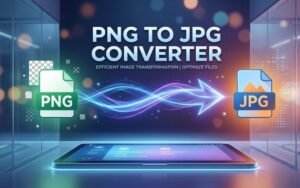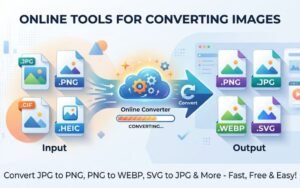

Converting images from PNG to JPG is one of the simplest ways to reduce file size, speed up websites, and optimise images for the web without losing essential visual quality. Creatoolz’s PNG to JPG tool provides a fast, browser‑based solution for designers, marketers, developers and anyone who needs quick image format conversions. This article explains why and when to convert PNG to JPG, how Creatoolz makes the process effortless, and best practices to get great results.
Why convert PNG to JPG?
PNG (Portable Network Graphics) is ideal for images that require transparency or lossless quality — such as logos, icons and graphics with sharp edges or text. However, PNG files are often larger than JPGs because they store more image data. JPG (or JPEG) uses lossy compression, which dramatically reduces file size for photographic images while preserving acceptable visual quality. Converting PNG to JPG is useful when:
- You need smaller images to improve page load times and SEO.
- The image does not require transparency (background can be flattened).
- You’re preparing photos or rich photographic content for web galleries, social media, or email campaigns.
- Bandwidth and storage are limited, or fast delivery is a priority.
About Creatoolz PNG to JPG converter
Creatoolz offers a free, user‑friendly PNG to JPG converter accessible directly in the browser—no registration required. The tool is designed for speed and convenience:
- Drag-and-drop or upload PNG files easily.
- Convert single images or multiple files in one session.
- Download converted JPGs immediately after processing.
- Simple, clear interface suitable for non‑technical users and professionals alike.
How to convert PNG to JPG with Creatoolz
- Choose PNG files: Upload or drag and drop the PNG images into the converter.
- Start conversion: Select “Convert to JPG” and the tool will process your files.
- Download images: Once conversion completes, download your JPG files and use them on websites, social media, or other projects.
This three‑step flow eliminates the need for desktop software and is especially handy when you’re on a different device or working quickly.
SEO and performance benefits
Image optimisation is an essential part of on‑page SEO and site performance. Smaller JPG files load faster, which lowers bounce rates and improves Core Web Vitals such as Largest Contentful Paint (LCP). Benefits include:
- Faster page loads: Reduced payload sizes speed rendering on both desktop and mobile.
- Reduced bandwidth use: Smaller images decrease data transfer costs and accelerate content delivery for users on slow connections.
- Better mobile UX: Lower file sizes improve load times and responsiveness for mobile visitors, which search engines reward.
- Improved conversion: Faster pages and optimized visuals can boost engagement and conversion rates.
When not to convert PNG to JPG
Not every PNG should be converted. Keep the PNG format for:
- Images requiring transparency (e.g., logos or overlays).
- Graphics with sharp edges, line art, or text where lossless quality is essential.
- Cases where you plan to edit the image further and need to preserve all original data.
If you must conimagwsxxxxxxxxxxxxxxxxxxxxxxxxxxxvert but need the appearance of transparency, consider placing the JPG on a matching background or using CSS techniques to simulate the original layout.
Best practices for converting and optimising images
- Archive originals: Always keep the original PNG files in case you need transparency or later edits.
- Choose appropriate compression: After conversion, test visual quality—too much compression introduces artefacts; too little misses potential savings.
- Resize for purpose: Scale images to the display size required by your website or app before conversion to avoid unnecessary pixels.
- Use responsive images: Combine converted JPGs with srcset to serve different sizes to different devices.
- Combine with other optimisations: Use lazy loading, a CDN, and caching headers to maximise delivery speed.
Bulk conversion and workflow efficiency
For agencies and content teams, converting many images quickly is important. Creatoolz’s tool supports multiple uploads in a single session, saving time compared with manual desktop conversions. Integrating Creatoolz into a content workflow (convert → resize → compress → upload) accelerates publishing and reduces friction between designers and developers.
Security and privacy considerations
Creatoolz provides a convenient web‑based tool, but users should avoid uploading sensitive or confidential images to public converters unless their privacy policy explicitly permits secure handling. For most public images—product photos, blog images, social posts—Creatoolz is a fast and safe option.
Who benefits most from the PNG to JPG converter?
- Webmasters and developers: Quickly prepare web‑ready images during site builds or updates.
- Content creators and marketers: Reduce file sizes for faster loading social posts and email campaigns.
- Photographers and e‑commerce teams: Convert product photography to lighter JPGs for catalog pages.
- Students and casual users: Fast, no‑fuss conversions without installing software.
Conclusion
Converting PNG to JPG is a practical, high‑impact step in image optimisation that helps websites perform better and visitors enjoy faster load times. Creatoolz’s PNG to JPG converter makes the process effortless—upload, convert and download—while supporting bulk conversions and an intuitive interface. Remember to keep original PNGs for assets that need transparency or lossless edits, and follow best practices like resizing, appropriate compression and responsive image delivery to get the best results. Try the Creatoolz PNG to JPG tool today to speed up your workflow and improve your site’s performance.
Frequently Asked Questions
What is a PNG to JPG converter?
It’s a tool that converts PNG images into JPG format to reduce file size and improve compatibility.
Why should I convert PNG to JPG?
JPG files are smaller, load faster, and are better for websites, social media, and email use.
Is Creatoolz PNG to JPG converter free?
Yes, you can use Creatoolz to convert images for free without any signup.
Will I lose quality when converting PNG to JPG?
There may be slight quality loss, but Creatoolz keeps it minimal for best results.
Can I convert multiple PNG images at once?
Yes, Creatoolz supports bulk conversion, so you can convert multiple images quickly.